Each year we see TV manufacturers release new models with new features, improved displays and an overall better package. After checking out the LG B5 OLED TV last year, I was excited to check out the new B6 this year to see just what is better for 2026.
The LG B6 OLED TV is once again the “entry-level” OLED TV in the LG range and offers increased brightness over the B5 while still delivering punchy colours and a 120Hz native refresh rate (VRR 144Hz). It also packs a host of software features including the new webOS 26, gaming-specific features, AI enhancements and more.
The LG B6 OLED has an extremely thin profile with the TV measuring 45.9mm at its thickest – a small portion of the lower section where you find all the ports for connectivity and power.
The panel is thin though and sits nicely mounted on my wall. If you choose to use the included stand from LG, unfortunately it has two separate feet and, to be honest, did not inspire much confidence. I am sure LG has tested it well and truly but if you have dogs like I do who like to get down and bark at all the animals on the TV I play it safe and mount the TV.
The LG B5 OLED TV arrives with a heap of connectivity options including:
I connected my Shield TV and PS4 via HDMI ports, the Internet via the Ethernet port, and the speaker system via the optical out port. I also connected the antenna cable as well. I’m not sure how many inputs most people use, but this is enough for me and should also be for most people these days.
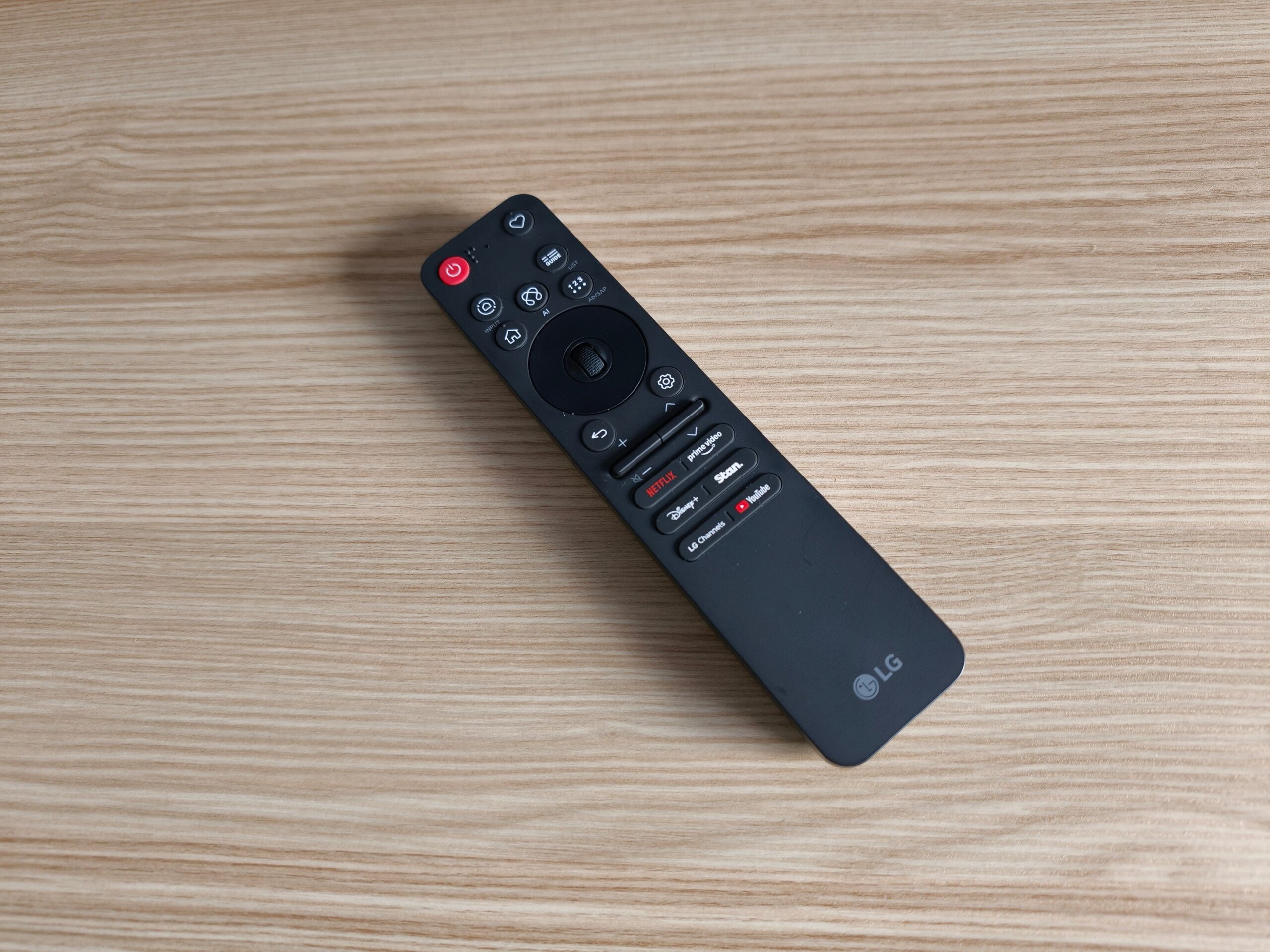
LG has once again included its “intelligent” remote control, the AI Magic Remote and although it’s super fancy, I’m not a fan. I am not a massive fan on how it works like a laser pointer – my hands aren’t steady enough to use this function consistently, but the more you use it, the better you get at it.
If you just use the directional controls though, you’ll be fine. I love how it detects which devices you have connected and automatically offers to control them as well, in true universal-remote style. It seamlessly controls all functions of my Shield TV.
One thing I dislike, though, is the lack of an input select button. To select the inputs you have to go into various menus and navigate to the one you want. I much prefer a simple input select button or menu. Is that a remote issue or a software issue? Either would solve the issue IMO.
Now, there is a solution for this with the LG B6 OLED TV – the favourite button. You can remap this button to pretty much whatever you want. You can have it open the various input options page or even just a single input. I remapped it to go automatically to HDMI input that my ShieldTV is connected to and a long press of it to normal TV. Problem solved – I now love the remote.
The last thing I dislike is all these shortcut buttons from streaming companies along the bottom. LG must get paid by these companies to put them there because who has all of these subscriptions and could ever need them all? Sure, put them there, pocket the money, but please also make them programmable — they are all useless to me, making them a waste of space, money and engineering.
Setting up the TV was a real pain in the butt. I tried logging in on the TV using the LG ThinQ app – recommended by LG – but failed miserably. It just couldn’t get everything synced up and log in properly using Google login. Just did it manually in the end.
We’ve covered WebOS a lot in the past and it is pretty much still the same but now with more AI. AI is everywhere; there is even an “AI Hub” button on the remote, just like there was last year. This year, though, the AI is much more involved and actually useful.
For me, this is where I see AI truly being useful, helping in the background optimising things so that everything works better and looks better without having to make any adjustments ourselves.
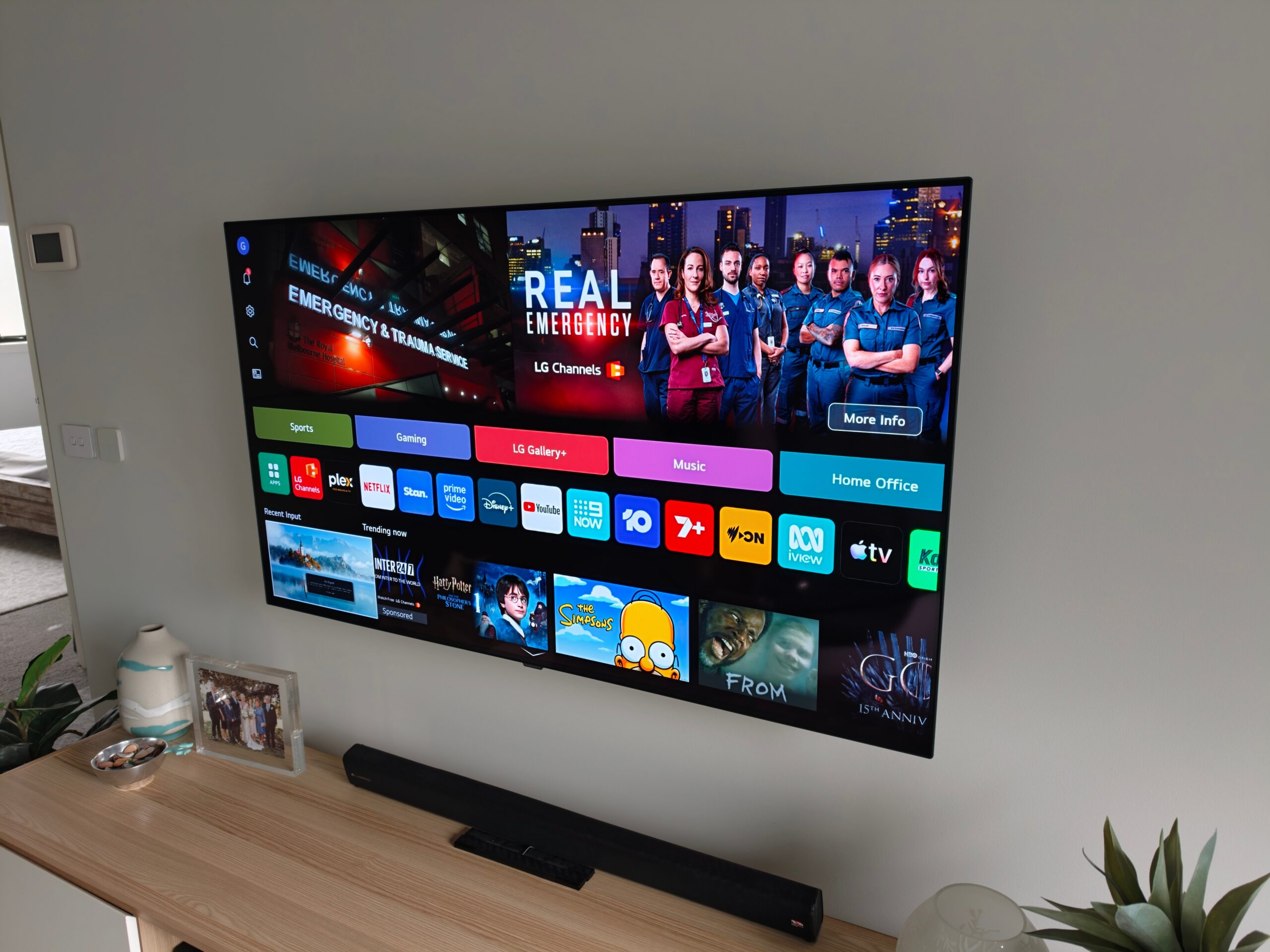
WebOS looks a lot like every other home page on TVs and set top boxes and streaming devices these days. There’s a massive banner/advertisement across the top, followed by a row or two of your own personal apps and content followed by a heap more rows of “suggested content” which of course can be had for a small fee.
WebOS includes both Gemini and Copilot to answer your AI prompts. You can ask about suggested programs, about the content on the display, and something that I love, search the user guide for the TV to help you with anything you may be stuck on.
Now, to find all this can be a hassle, but after using it for a week or two it becomes second nature – plus you’ll have it all set up by then, so won’t need to worry too much about the user guide.
WebOS has most of the apps you could need, including your usual streaming apps, local TV stations’ catch-up and streaming apps, and apps such as Plex. LG does offer some of its own apps, such as LG Sports Playbook – which, of course, is packed with ads.
This just provides scores and relevant information, such as the bracket and who Australia will play after they beat Egypt on Saturday. It then tells you how to watch it, and for us, it directs us to the SBS OnDemand app.
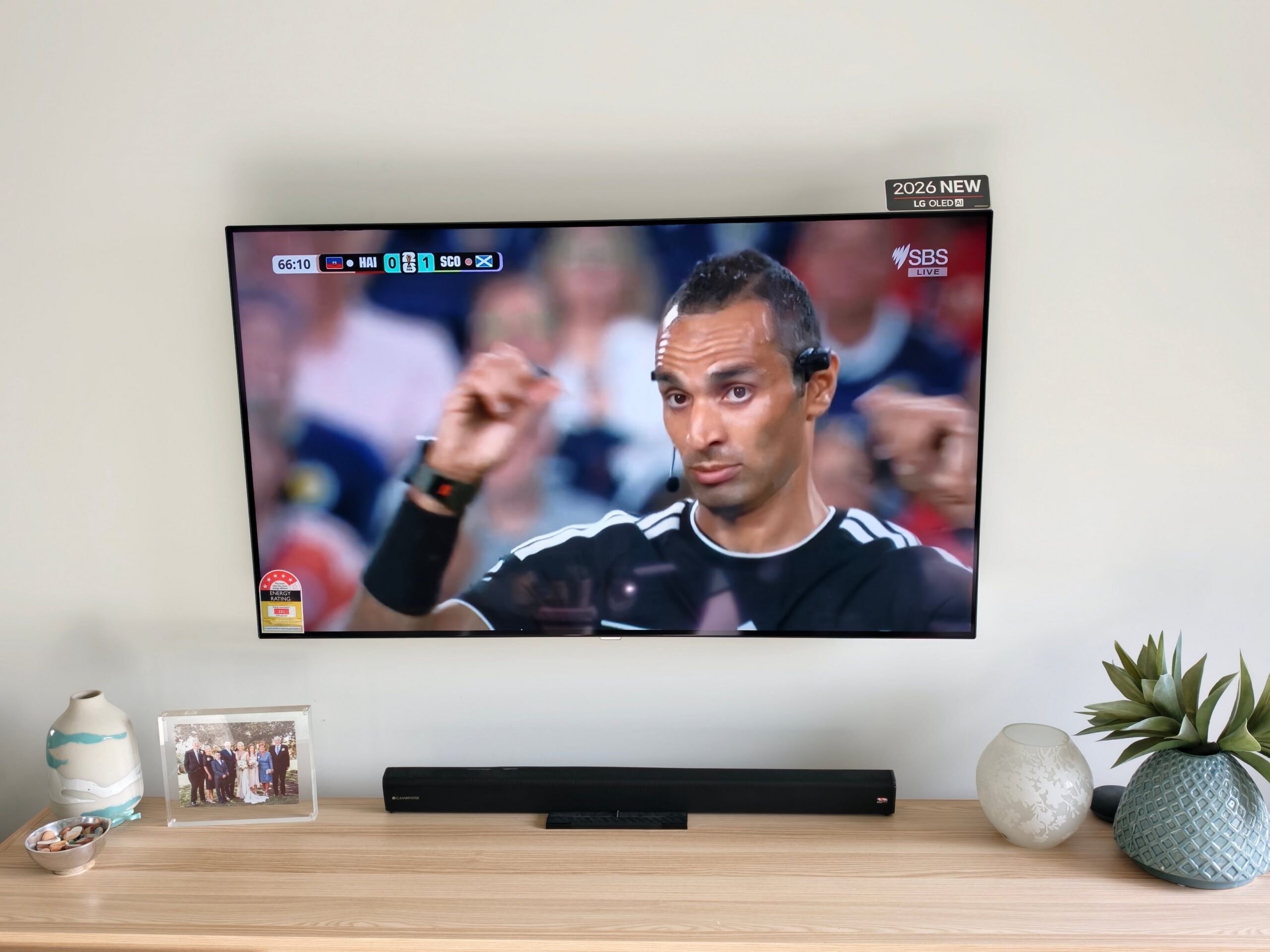
The picture on the B6 OLED TV is improved on last year with still great blacks and some impressive vibrant colours. The brightness is better this year, on paper and in real life, which will definitely come in handy when watching TV in a bright room.
As for AI, it is deeply involved here – well, LG tells us it is and, in the sense that everyone wants AI to be, it unintrusively optimises your picture and audio with AI Picture Pro and AI Sound Pro.
You can, of course, personalise the picture and audio yourself, and LG helps quite well with this, offering different options to choose from so it can decide which type of picture you like to see and the same for the audio.
The advantage of the AI Picture Pro is that it adjusts based on the surrounding environment and the type of content you are viewing. I chose this one in the end and was happy with each adjustment the software made, no matter what I was watching.
OLED viewing is next level when compared to the more traditional QLED and LCD TVs. The newer RGB miniLED TVs are looking to compete with OLED TVs, and while I have seen some amazing improvements in recent times, OLED TVs are much more prevalent and priced within reach for the average person.
The LG B6 OLED TV is good value if you are looking for a new TV with a great quality picture that won’t break the budget. The blacks are just super black and the detail visible within them makes every movie so much nicer and easier to watch – even in a light room. Turn the lights out, or just down lower, and the OLED comes to life.
Colours in content, especially in cartoons such as Zootopia, look amazing and are incredibly vibrant, popping, and making the viewing experience next-level again.
Sports are something we watch a lot on our TV, mostly AFL, and the games looked great, with fast action and the TV refresh rate able to keep up with the ball, with minimal to no artefacts from it spinning on a drop punt.
The LG B6 OLED TV is available in three sizes, 48-, 55- and 65-inches. The 55-inch LG B6 OLED TV reviewed here has an RRP of around 00. Prices obviously vary based on sales, time of year etc, especially with the current EOFY sales — as of July 3, it is just The LG B5 OLED TV arrives with a heap of connectivity options including: I connected my Shield TV and PS4 via HDMI ports, the Internet via the Ethernet port, and the speaker system via the optical out port. I also connected the antenna cable as well. I’m not sure how many inputs most people use, but this is enough for me and should also be for most people these days. LG has once again included its “intelligent” remote control, the AI Magic Remote and although it’s super fancy, I’m not a fan. I am not a massive fan on how it works like a laser pointer – my hands aren’t steady enough to use this function consistently, but the more you use it, the better you get at it. If you just use the directional controls though, you’ll be fine. I love how it detects which devices you have connected and automatically offers to control them as well, in true universal-remote style. It seamlessly controls all functions of my Shield TV. One thing I dislike, though, is the lack of an input select button. To select the inputs you have to go into various menus and navigate to the one you want. I much prefer a simple input select button or menu. Is that a remote issue or a software issue? Either would solve the issue IMO. Now, there is a solution for this with the LG B6 OLED TV – the favourite button. You can remap this button to pretty much whatever you want. You can have it open the various input options page or even just a single input. I remapped it to go automatically to HDMI input that my ShieldTV is connected to and a long press of it to normal TV. Problem solved – I now love the remote. The last thing I dislike is all these shortcut buttons from streaming companies along the bottom. LG must get paid by these companies to put them there because who has all of these subscriptions and could ever need them all? Sure, put them there, pocket the money, but please also make them programmable — they are all useless to me, making them a waste of space, money and engineering. Setting up the TV was a real pain in the butt. I tried logging in on the TV using the LG ThinQ app – recommended by LG – but failed miserably. It just couldn’t get everything synced up and log in properly using Google login. Just did it manually in the end. We’ve covered WebOS a lot in the past and it is pretty much still the same but now with more AI. AI is everywhere; there is even an “AI Hub” button on the remote, just like there was last year. This year, though, the AI is much more involved and actually useful. For me, this is where I see AI truly being useful, helping in the background optimising things so that everything works better and looks better without having to make any adjustments ourselves. WebOS looks a lot like every other home page on TVs and set top boxes and streaming devices these days. There’s a massive banner/advertisement across the top, followed by a row or two of your own personal apps and content followed by a heap more rows of “suggested content” which of course can be had for a small fee. WebOS includes both Gemini and Copilot to answer your AI prompts. You can ask about suggested programs, about the content on the display, and something that I love, search the user guide for the TV to help you with anything you may be stuck on. Now, to find all this can be a hassle, but after using it for a week or two it becomes second nature – plus you’ll have it all set up by then, so won’t need to worry too much about the user guide. WebOS has most of the apps you could need, including your usual streaming apps, local TV stations’ catch-up and streaming apps, and apps such as Plex. LG does offer some of its own apps, such as LG Sports Playbook – which, of course, is packed with ads. This just provides scores and relevant information, such as the bracket and who Australia will play after they beat Egypt on Saturday. It then tells you how to watch it, and for us, it directs us to the SBS OnDemand app. The picture on the B6 OLED TV is improved on last year with still great blacks and some impressive vibrant colours. The brightness is better this year, on paper and in real life, which will definitely come in handy when watching TV in a bright room. As for AI, it is deeply involved here – well, LG tells us it is and, in the sense that everyone wants AI to be, it unintrusively optimises your picture and audio with AI Picture Pro and AI Sound Pro. You can, of course, personalise the picture and audio yourself, and LG helps quite well with this, offering different options to choose from so it can decide which type of picture you like to see and the same for the audio. The advantage of the AI Picture Pro is that it adjusts based on the surrounding environment and the type of content you are viewing. I chose this one in the end and was happy with each adjustment the software made, no matter what I was watching. OLED viewing is next level when compared to the more traditional QLED and LCD TVs. The newer RGB miniLED TVs are looking to compete with OLED TVs, and while I have seen some amazing improvements in recent times, OLED TVs are much more prevalent and priced within reach for the average person. The LG B6 OLED TV is good value if you are looking for a new TV with a great quality picture that won’t break the budget. The blacks are just super black and the detail visible within them makes every movie so much nicer and easier to watch – even in a light room. Turn the lights out, or just down lower, and the OLED comes to life. Colours in content, especially in cartoons such as Zootopia, look amazing and are incredibly vibrant, popping, and making the viewing experience next-level again. Sports are something we watch a lot on our TV, mostly AFL, and the games looked great, with fast action and the TV refresh rate able to keep up with the ball, with minimal to no artefacts from it spinning on a drop punt. The LG B6 OLED TV is available in three sizes, 48-, 55- and 65-inches. The 55-inch LG B6 OLED TV reviewed here has an RRP of around $2500. Prices obviously vary based on sales, time of year etc, especially with the current EOFY sales — as of July 3, it is just $2,176 on the LG website, but if you want the best deal for the TV that best suits you, check out the EFTM TV Buyers Guide. We do urge you to shop around and check out the TVs in-store to make sure you get the right one for you. In my mind though, you could certainly do a lot worse than the LG B5 OLED TV- OLED goodness at an affordable price with a heap of features to optimise your viewing experience. Scott is our resident open technology expert. If you can mod it, or want to use it your way, Scott has probably done it. From Laptops to phones, headphones and game consoles, he’s played with it and wants to see the next generation.Connectivity
The AI Magic Remote
Using the TV
WebOS
Picture Quality
We do urge you to shop around and check out the TVs in-store to make sure you get the right one for you. In my mind though, you could certainly do a lot worse than the LG B5 OLED TV- OLED goodness at an affordable price with a heap of features to optimise your viewing experience.
Scott is our resident open technology expert. If you can mod it, or want to use it your way, Scott has probably done it. From Laptops to phones, headphones and game consoles, he’s played with it and wants to see the next generation.
Google recently released the Pixel Watch 5 and although AI has been present in other…
Hisense is not the first company to release these clip-style open-ear headphones, but it is…
Everyone is gearing up for the 2026/27 NBA season launch this week, including 2K games,…
Last week we reviewed the Logitech G Pro X3 Superstrike gaming mouse, released at Logitech…
Zwift has today announced the Ride Supersonic aerobars, designed to fit the premium Zwift Ride,…
This week we hear from Gary who was so into his Kia he started an…