oplus_3153920
It wasn’t that long ago that Narwal released its Flow robot vacuum cleaner in Australia, and now it is time for its successor, the Narwal Flow 2.
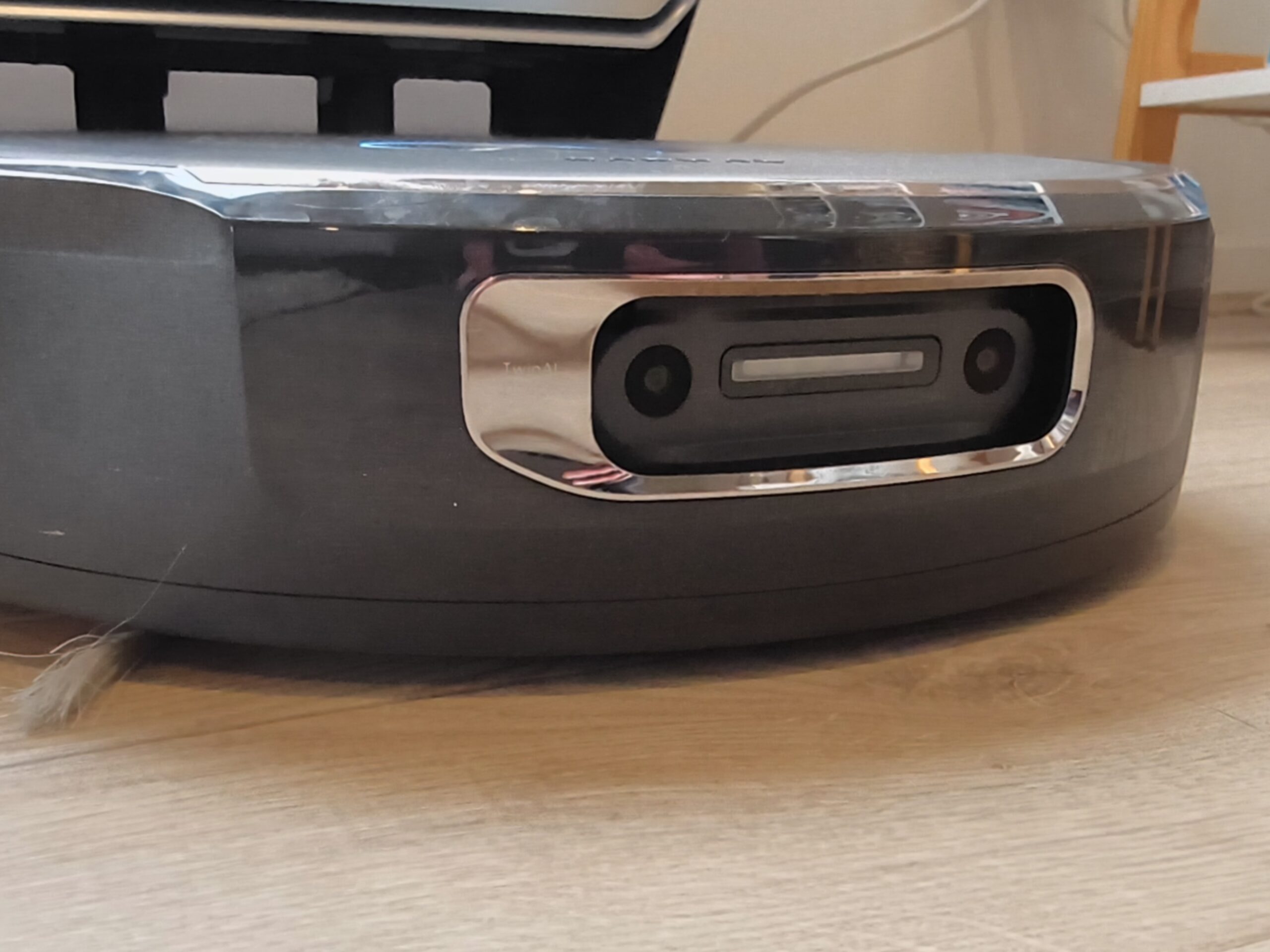
If the original Flow from Narwal looked good on paper, then the Flow 2 looks exceptional. It brings more suction, a better, more effective washing system, a new object recognition model and a new mapping system.
The Narwal Flow 2 brings all the features of the Flow but upgrades some of them, and some of them significantly, on paper.
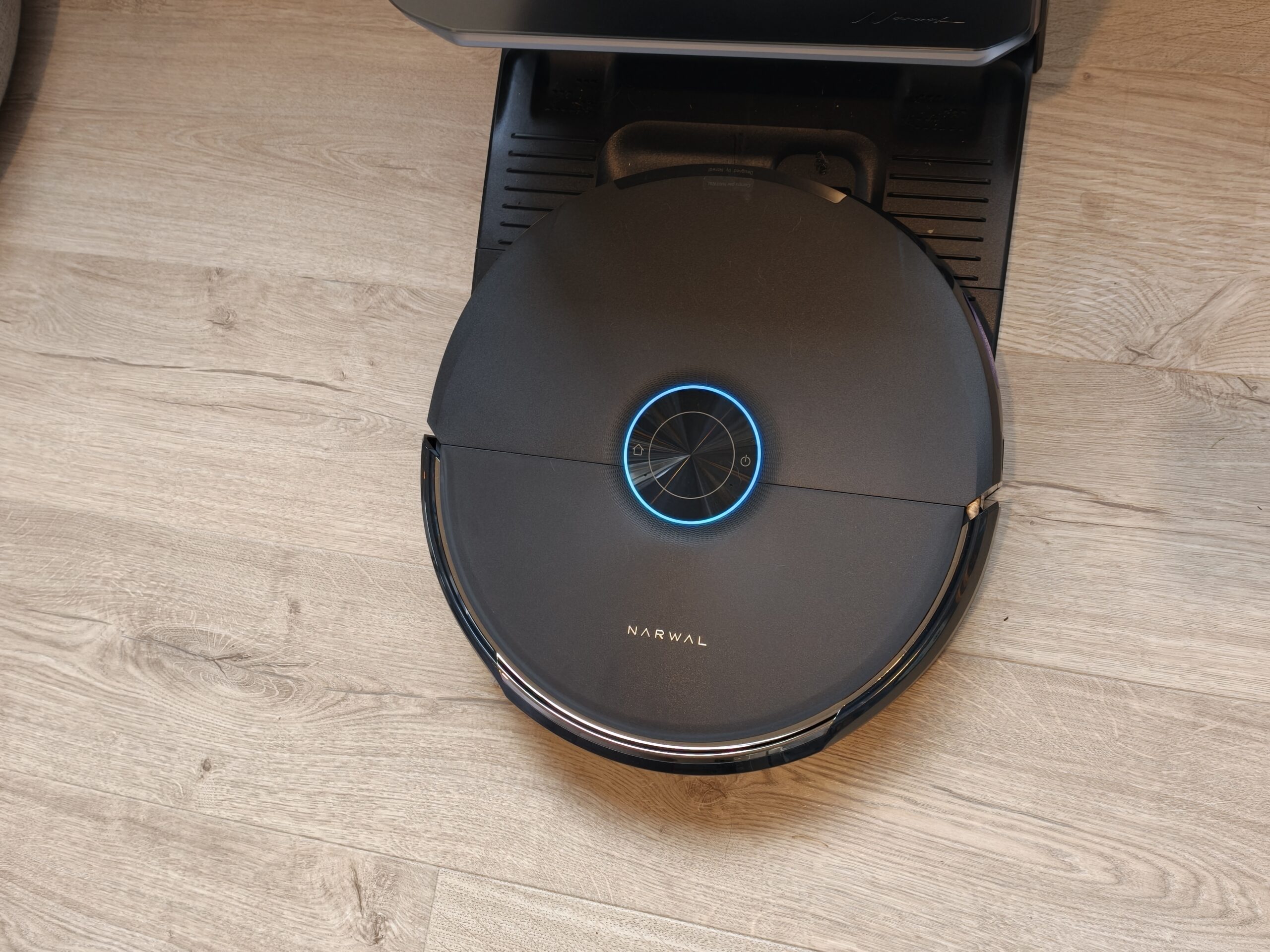
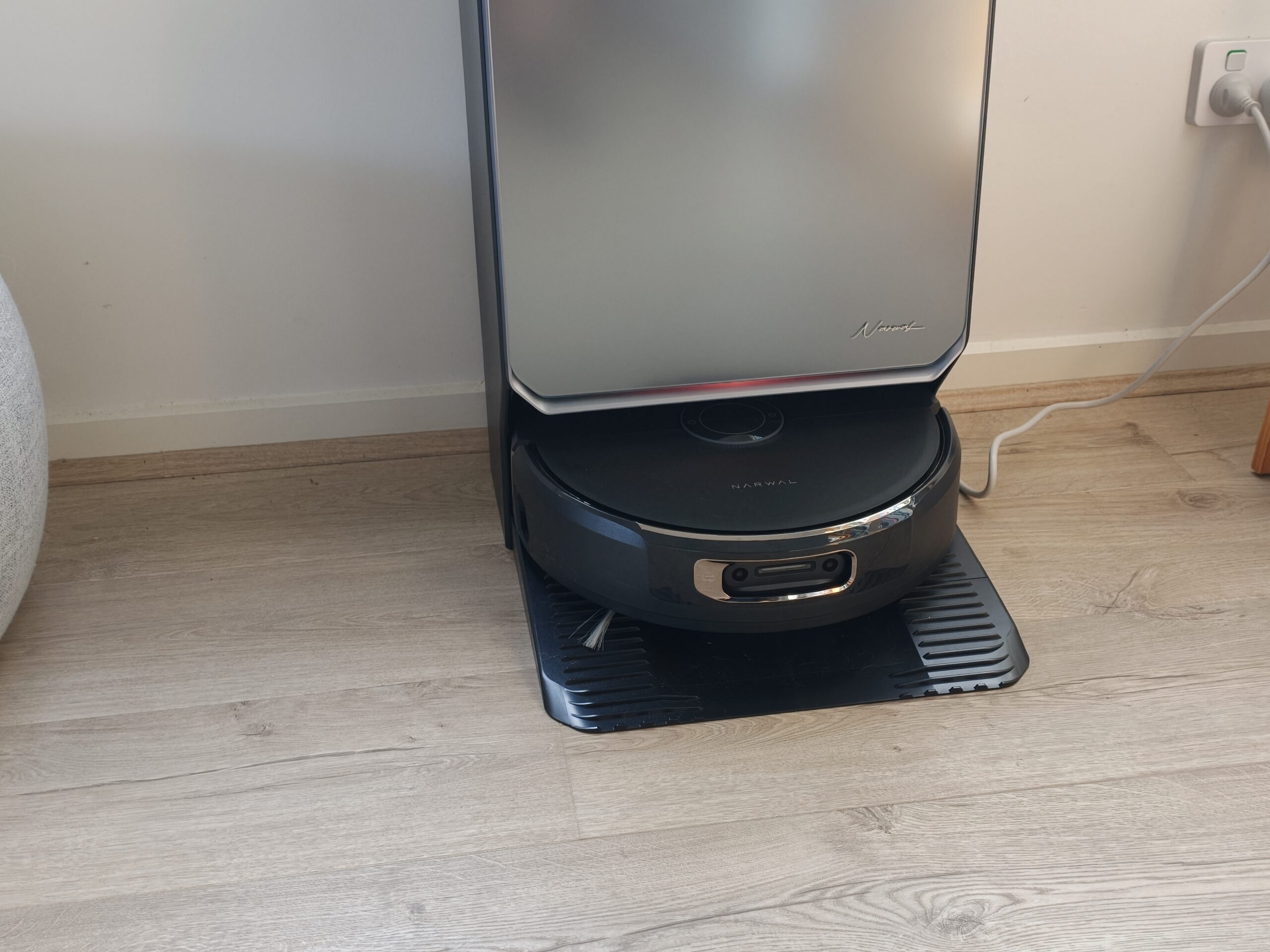
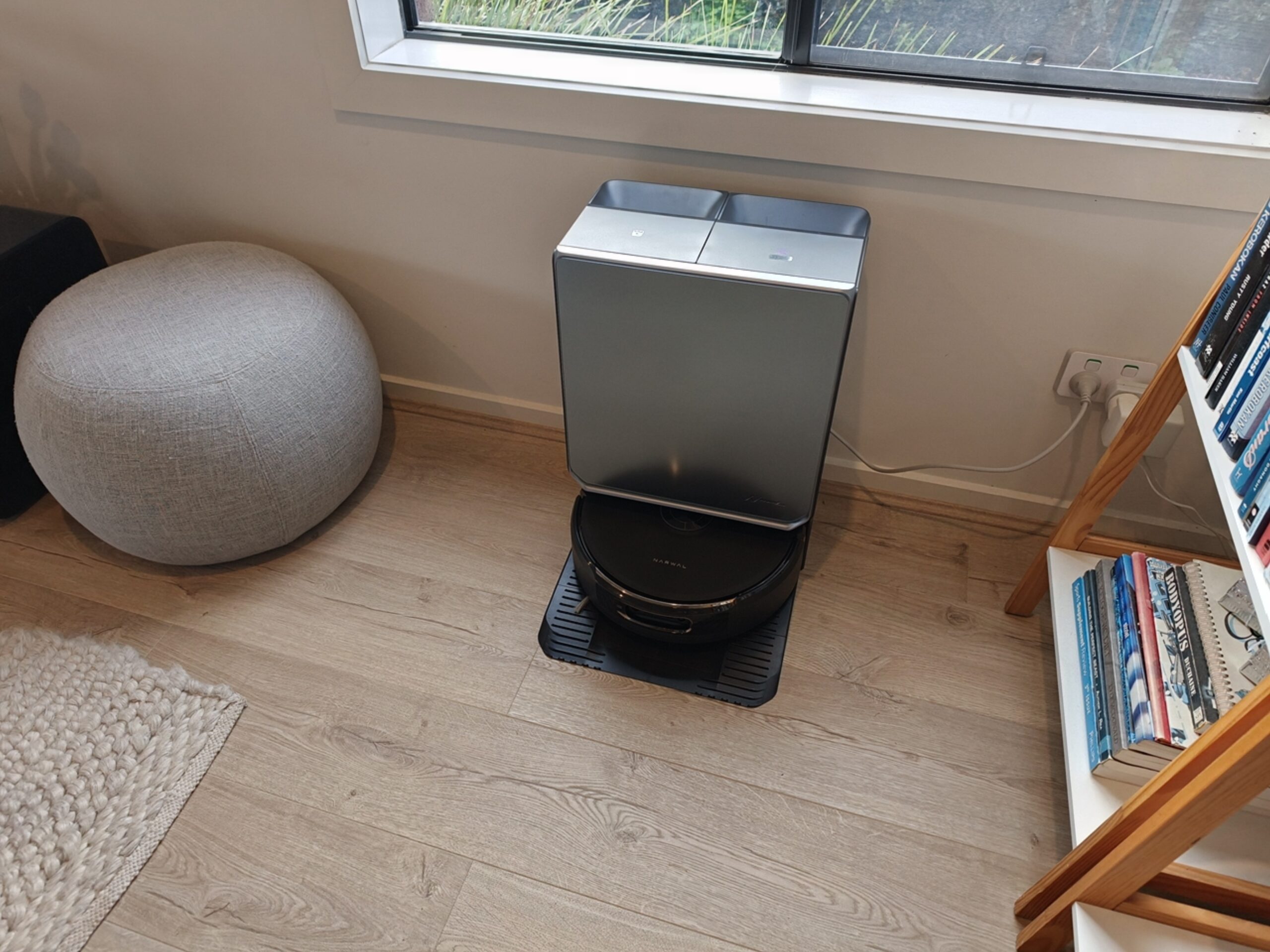
The Narwal Flow base station had a good design but lacked the polish/elegance of some others on the market. The Flow 2 corrects that with an incredibly stylish design, and even though the tanks are still visible from the outside, they are camouflaged enough to blend in.
Underneath the clean water tank is the detergent bottle, which obviously helps mop the floor more effectively by killing germs and breaking up oily messes.
The base station now has a Status Light Bar on the front to let you know what it is doing at a glance. The entire base station is premium and a huge improvement over the Flow.
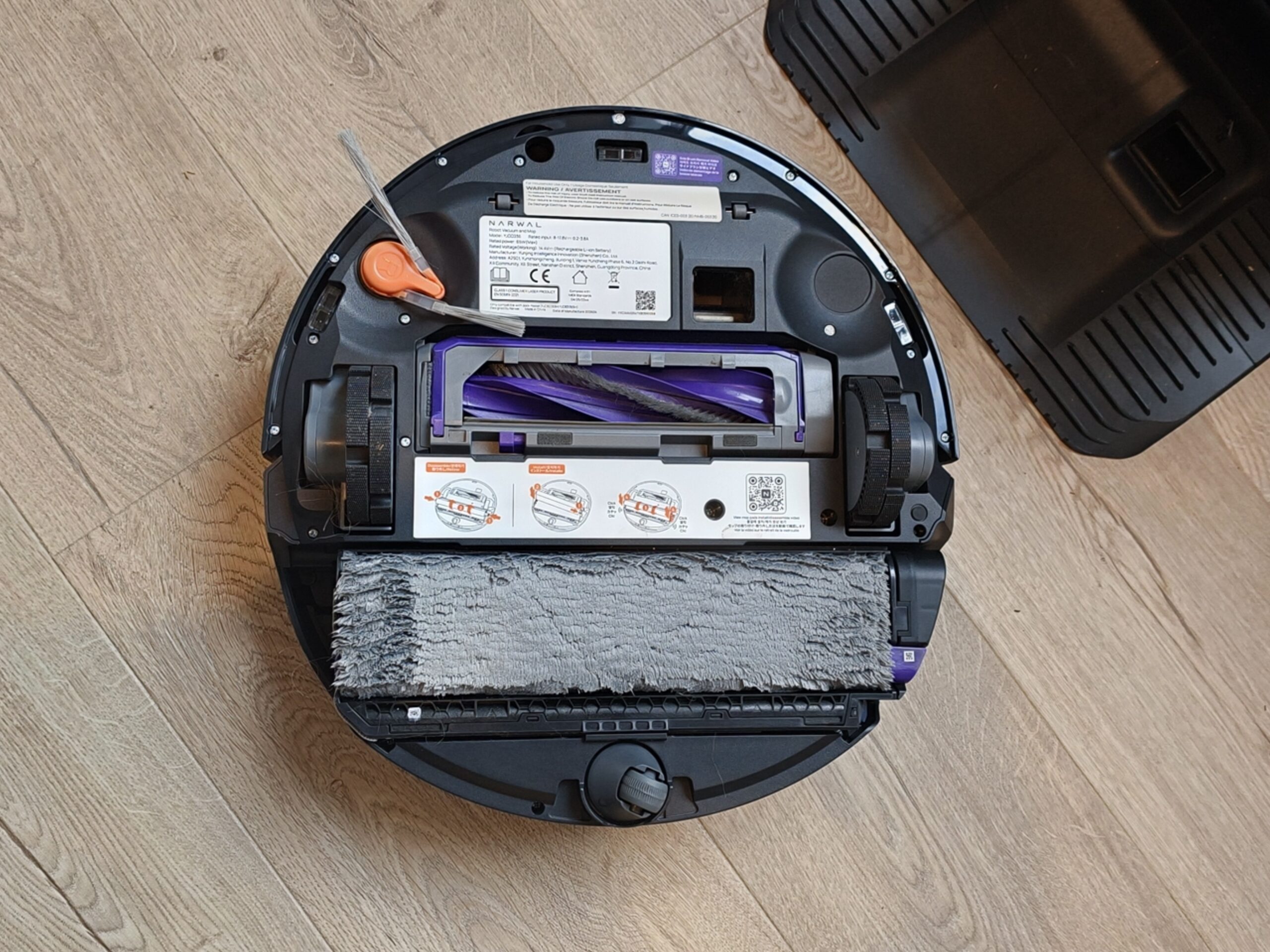
The vacuum itself is about the same size as the Flow, but this time it is different. There is only one side brush underneath. This seems to be a strange decision but it didn’t seem to affect the cleaning, so all’s well.
Connecting the vacuum to the app and my network was easy but setting it up was not. Aside from the mapping issues discussed above, there are also issues with finding everything in the app. This is a problem most advanced robot cleaners have these days, given how many features they have.
With so many features, you will need to take a deep dive into every setting to find the things you need. For example, by default (for some strange reason) the vacuum does NOT vacuum on carpets and instead rolls over them without cleaning. Firstly, why would a robot vacuum cleaner have a default setting that is “cross but don’t clean the carpet” and secondly, if they must have this, why hide the setting all the way away in map management under Carpet (for those who need to find it).
You need to go into the map, then map management, then carpet, and finally tap each detected carpet area to decide whether you want the vacuum to clean it, avoid it, cross it without cleaning, or ignore it.
Kind of stupid if you ask me. Cleaning should be on by default, and this was an issue that took me a long time to find and fix – no other vacuum has this, and I think Narwal should reconsider this decision.
Some things, such as schedules, are easier to find because they are front and centre on the device’s home page.
Once you have it set up the way you like, you never have to touch it again unless you need to do a spot clean for a specific spill.
I mentioned above the issues I had with the vacuum not working. Why would Narwal have carpets NOT be cleaned by default? I have never seen this before, probably because it is the stupidest default setting I have ever seen.
Once I’d finally got the map mostly correct — third time’s the charm, but I encourage you to keep going until it is correct — and found the setting that skipped cleaning carpets and reversed it for all carpeted surfaces the vacuum found, vacuuming worked amazingly well. Even though the map was never updated within the app, and a wall was still missing, the vacuum cleaned both sides of the wall it thinks does not exist.
Narwal said:
The Narwal Flow 2 uses a rapid mapping system, and the map of the home environment is continuously refined during subsequent cleaning runs as part of the cleaning process.
While the map may not have looked exactly as it should, the vacuum still cleaned the entire house thoroughly and accurately — tested by sprinkling breadcrumbs in each room at various places.
There are two ways to do your cleaning: set it manually, where you determine the number of passes, the suction power you want/need, and finally, the precision of the coverage (standard or meticulous). It will then be cleaned. As with all robot vacuums, you can choose rooms, a particular zone or the entire map.
The second way that the Narwal Flow 2 cleans is by using “Freo Mind.” This is the robot’s AI, which adjusts the “cleaning strategies to the home environment, user habits, flooring and cleanliness.” In other words, the robot intelligently decides how best to clean your floors based on your usual preferences, how dirty the floor is and more. I tried both and ended up with the same result each time, although the meticulous, super-powerful suction vacuuming did get just a bit more of the breadcrumb mess off the floor. As an everyday tool though, the Freo Mind worked just fine.
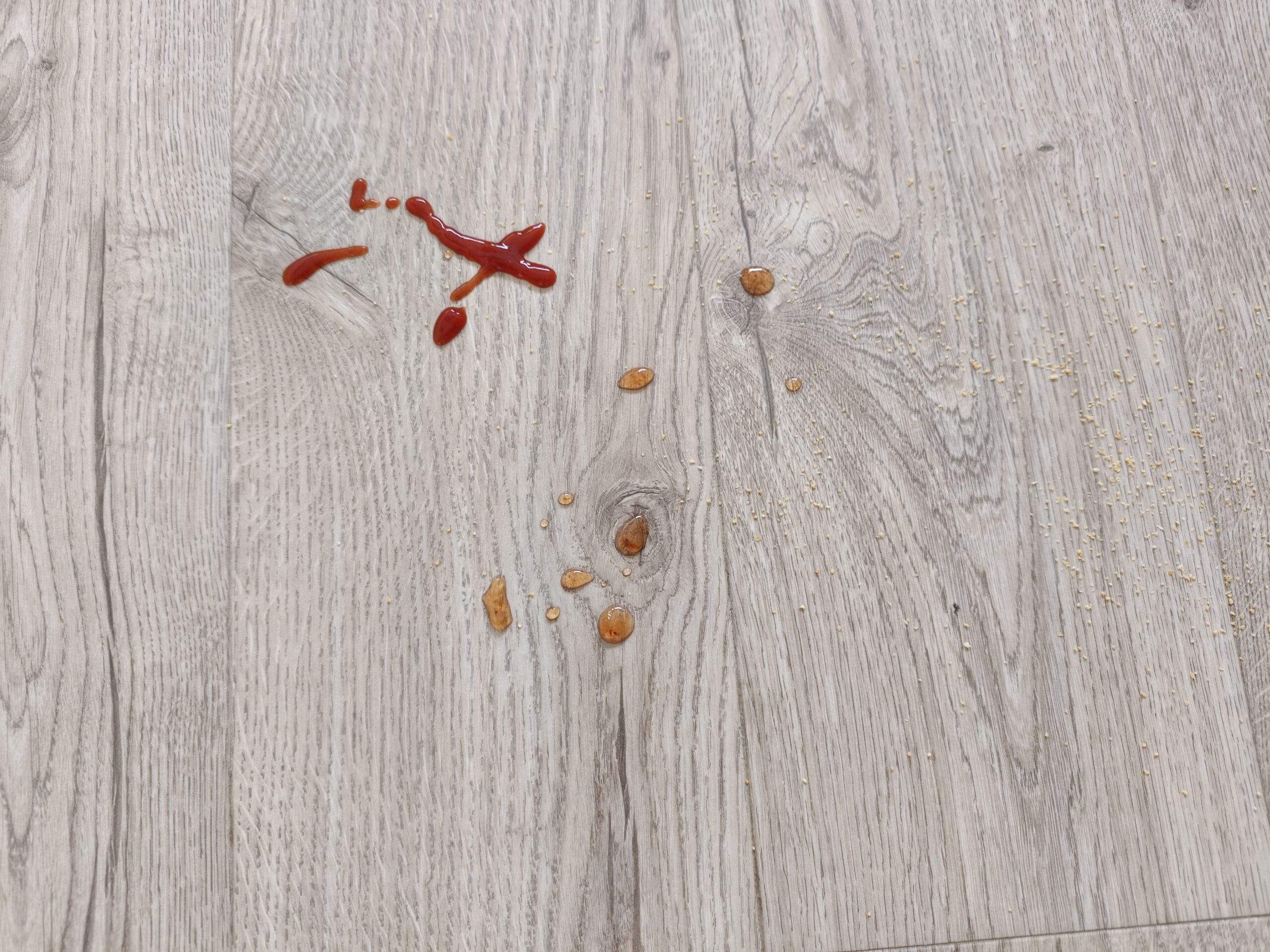
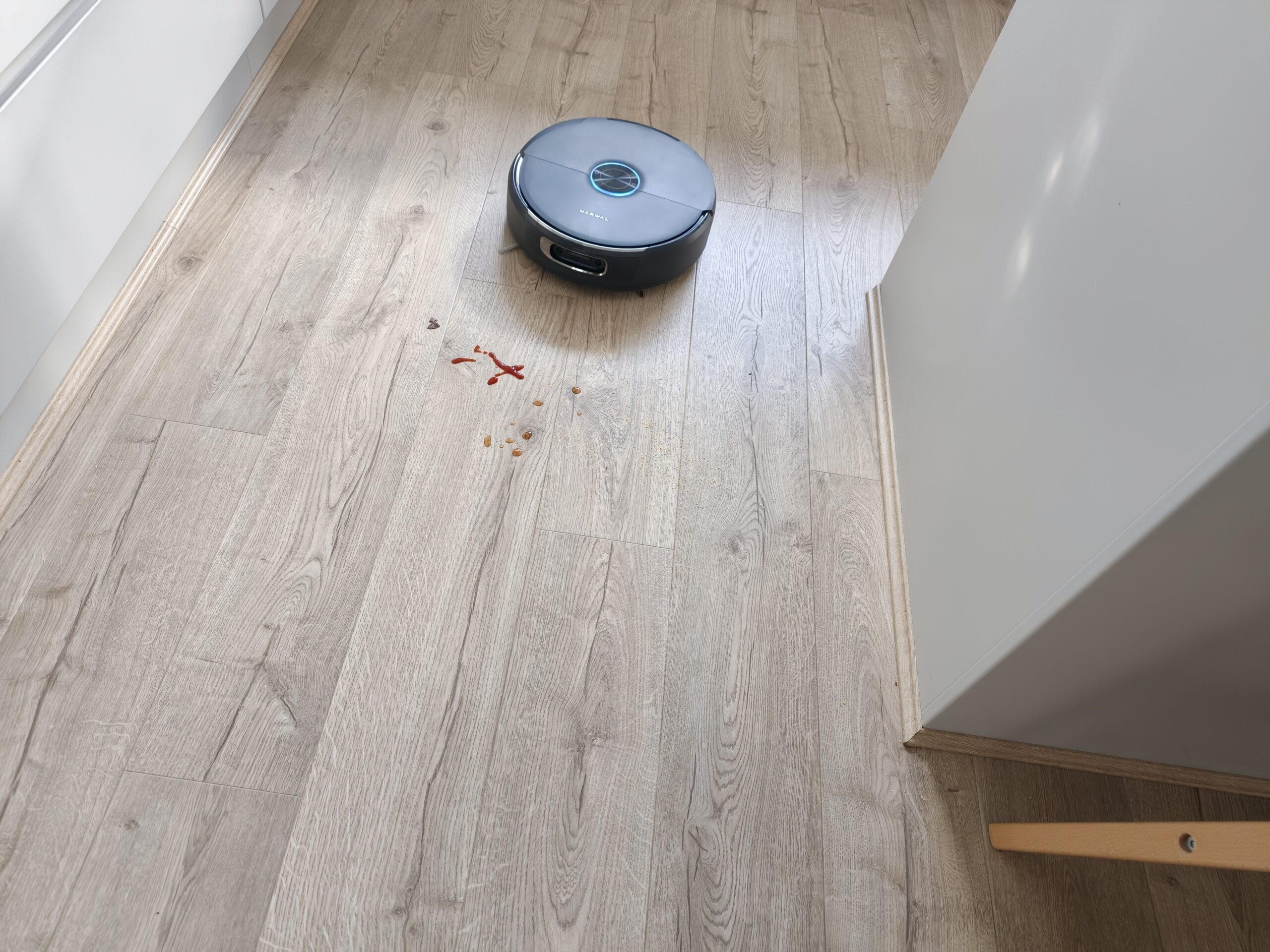
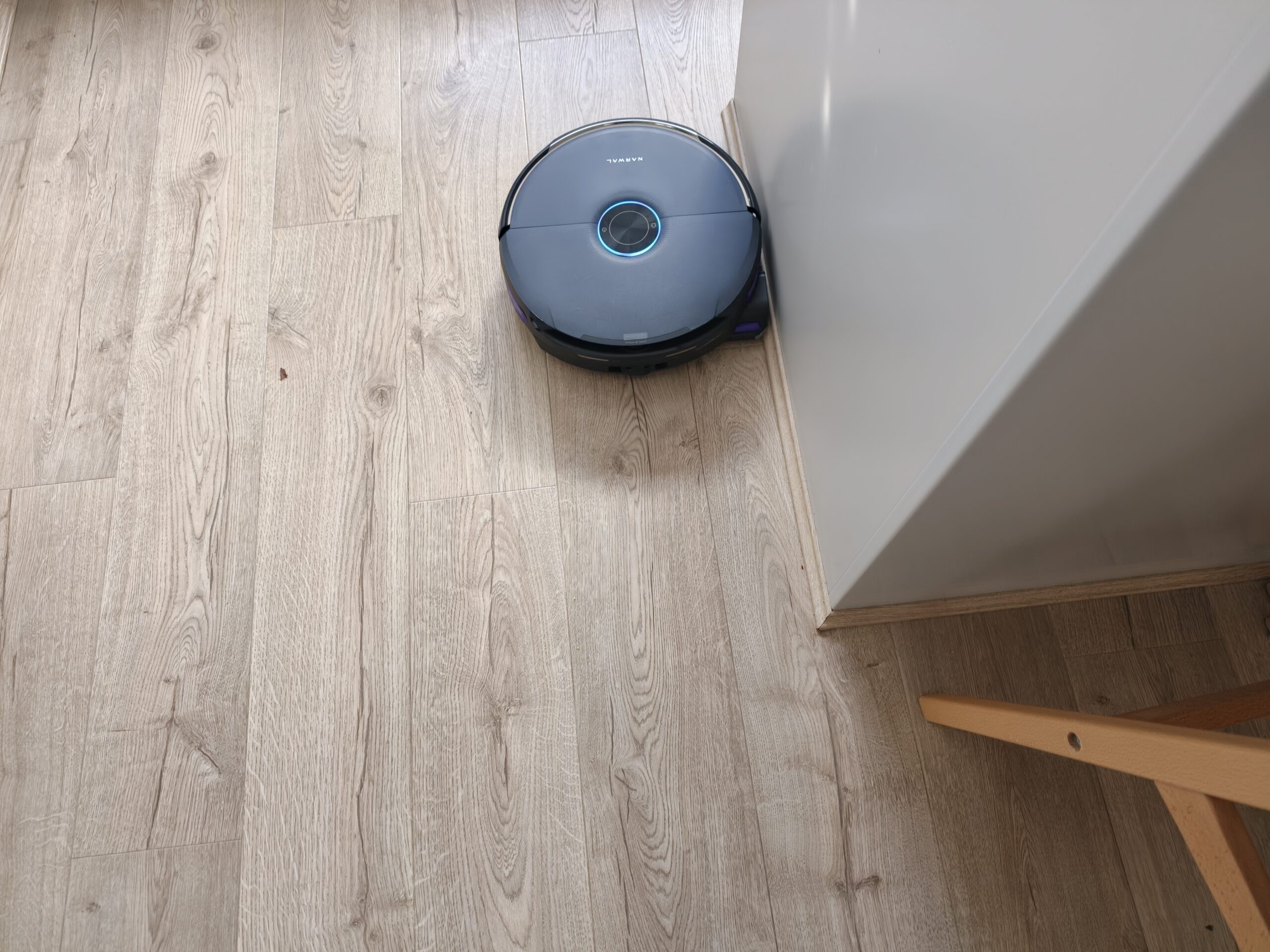
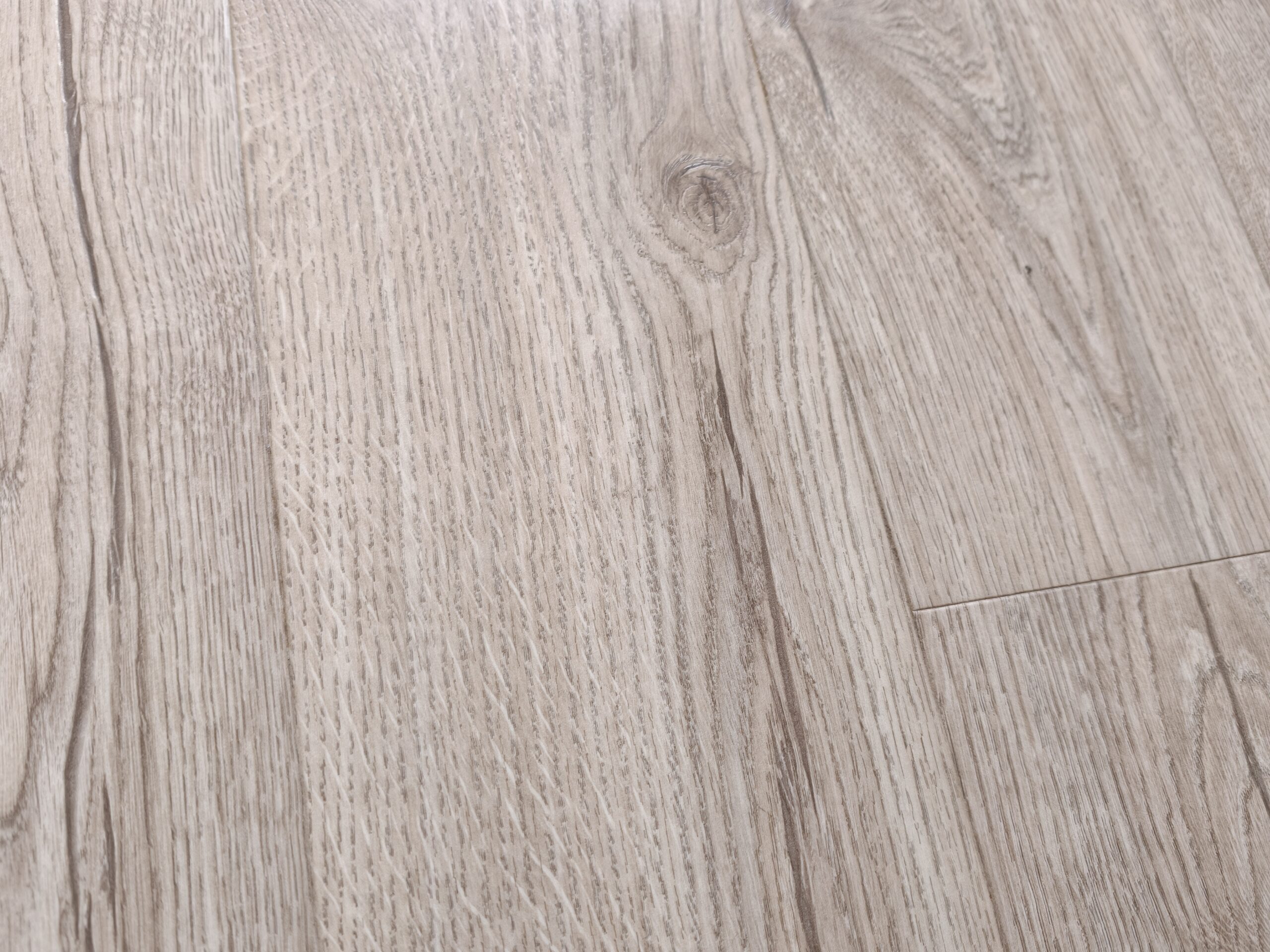
The original Narwal Flow was the best mopping robot cleaner I have ever used. The Narwal Flow 2 continues this journey with even better mopping results. I threw sauce, jam, and breadcrumbs on the floor, and the robot made its way to the zone and used its own intelligence (Freo Mind) to determine how best to clean it. It then easily cleaned up all the breadcrumbs without flicking them everywhere and mopped up the sauce and jam at the same time.
As you can see in the images below, the floor was spotless after it was done.
The Narwal Flow 2 got off to a rocky start in my house, but after a reset and a couple of additional mapping attempts, it works perfectly. I would say that this robot vacuum cleaner is exceptional at cleaning – just make sure you get the map correct before moving on to the cleaning. Ensure all walls are in the correct locations and all rooms are included, then make sure the carpets will actually be cleaned and not skipped.
Once I got the map right, the robot vacuumed the carpets immaculately and mopped up any mess I threw at it. I am comfortable recommending the Narwal Flow 2 to anyone looking for a full-service vacuum — I didn’t even touch on the security camera features either but they are there too.
The Narwal Flow 2 is a great vacuum, but it’s currently held back by inconsistent mapping. If you take the time to get the mapping right, this is perfect in every way, with great vacuuming, amazing mopping, and some nifty additional features.
For now, the Narwal Flow 2 is available for AU
The Narwal Flow base station had a good design but lacked the polish/elegance of some others on the market. The Flow 2 corrects that with an incredibly stylish design, and even though the tanks are still visible from the outside, they are camouflaged enough to blend in.
Underneath the clean water tank is the detergent bottle, which obviously helps mop the floor more effectively by killing germs and breaking up oily messes.
The base station now has a Status Light Bar on the front to let you know what it is doing at a glance. The entire base station is premium and a huge improvement over the Flow.
The vacuum itself is about the same size as the Flow, but this time it is different. There is only one side brush underneath. This seems to be a strange decision but it didn’t seem to affect the cleaning, so all’s well.
Connecting the vacuum to the app and my network was easy but setting it up was not. Aside from the mapping issues discussed above, there are also issues with finding everything in the app. This is a problem most advanced robot cleaners have these days, given how many features they have.
With so many features, you will need to take a deep dive into every setting to find the things you need. For example, by default (for some strange reason) the vacuum does NOT vacuum on carpets and instead rolls over them without cleaning. Firstly, why would a robot vacuum cleaner have a default setting that is “cross but don’t clean the carpet” and secondly, if they must have this, why hide the setting all the way away in map management under Carpet (for those who need to find it).
You need to go into the map, then map management, then carpet, and finally tap each detected carpet area to decide whether you want the vacuum to clean it, avoid it, cross it without cleaning, or ignore it.
Kind of stupid if you ask me. Cleaning should be on by default, and this was an issue that took me a long time to find and fix – no other vacuum has this, and I think Narwal should reconsider this decision.
Some things, such as schedules, are easier to find because they are front and centre on the device’s home page.
Once you have it set up the way you like, you never have to touch it again unless you need to do a spot clean for a specific spill.
I mentioned above the issues I had with the vacuum not working. Why would Narwal have carpets NOT be cleaned by default? I have never seen this before, probably because it is the stupidest default setting I have ever seen.
Once I’d finally got the map mostly correct — third time’s the charm, but I encourage you to keep going until it is correct — and found the setting that skipped cleaning carpets and reversed it for all carpeted surfaces the vacuum found, vacuuming worked amazingly well. Even though the map was never updated within the app, and a wall was still missing, the vacuum cleaned both sides of the wall it thinks does not exist.
Narwal said:
The Narwal Flow 2 uses a rapid mapping system, and the map of the home environment is continuously refined during subsequent cleaning runs as part of the cleaning process.
While the map may not have looked exactly as it should, the vacuum still cleaned the entire house thoroughly and accurately — tested by sprinkling breadcrumbs in each room at various places.
There are two ways to do your cleaning: set it manually, where you determine the number of passes, the suction power you want/need, and finally, the precision of the coverage (standard or meticulous). It will then be cleaned. As with all robot vacuums, you can choose rooms, a particular zone or the entire map.
The second way that the Narwal Flow 2 cleans is by using “Freo Mind.” This is the robot’s AI, which adjusts the “cleaning strategies to the home environment, user habits, flooring and cleanliness.” In other words, the robot intelligently decides how best to clean your floors based on your usual preferences, how dirty the floor is and more. I tried both and ended up with the same result each time, although the meticulous, super-powerful suction vacuuming did get just a bit more of the breadcrumb mess off the floor. As an everyday tool though, the Freo Mind worked just fine.
The original Narwal Flow was the best mopping robot cleaner I have ever used. The Narwal Flow 2 continues this journey with even better mopping results. I threw sauce, jam, and breadcrumbs on the floor, and the robot made its way to the zone and used its own intelligence (Freo Mind) to determine how best to clean it. It then easily cleaned up all the breadcrumbs without flicking them everywhere and mopped up the sauce and jam at the same time.
As you can see in the images below, the floor was spotless after it was done.
The Narwal Flow 2 got off to a rocky start in my house, but after a reset and a couple of additional mapping attempts, it works perfectly. I would say that this robot vacuum cleaner is exceptional at cleaning – just make sure you get the map correct before moving on to the cleaning. Ensure all walls are in the correct locations and all rooms are included, then make sure the carpets will actually be cleaned and not skipped.
Once I got the map right, the robot vacuumed the carpets immaculately and mopped up any mess I threw at it. I am comfortable recommending the Narwal Flow 2 to anyone looking for a full-service vacuum — I didn’t even touch on the security camera features either but they are there too.
The Narwal Flow 2 is a great vacuum, but it’s currently held back by inconsistent mapping. If you take the time to get the mapping right, this is perfect in every way, with great vacuuming, amazing mopping, and some nifty additional features.
For now, the Narwal Flow 2 is available for AU$2,199 from Narwal and Harvey Norman, with the full retail price of $2,999 likely a few weeks after release.
Scott is our resident open technology expert. If you can mod it, or want to use it your way, Scott has probably done it. From Laptops to phones, headphones and game consoles, he’s played with it and wants to see the next generation.
The Narwal Flow base station had a good design but lacked the polish/elegance of some others on the market. The Flow 2 corrects that with an incredibly stylish design, and even though the tanks are still visible from the outside, they are camouflaged enough to blend in.
Underneath the clean water tank is the detergent bottle, which obviously helps mop the floor more effectively by killing germs and breaking up oily messes.
The base station now has a Status Light Bar on the front to let you know what it is doing at a glance. The entire base station is premium and a huge improvement over the Flow.
The vacuum itself is about the same size as the Flow, but this time it is different. There is only one side brush underneath. This seems to be a strange decision but it didn’t seem to affect the cleaning, so all’s well.
Connecting the vacuum to the app and my network was easy but setting it up was not. Aside from the mapping issues discussed above, there are also issues with finding everything in the app. This is a problem most advanced robot cleaners have these days, given how many features they have.
With so many features, you will need to take a deep dive into every setting to find the things you need. For example, by default (for some strange reason) the vacuum does NOT vacuum on carpets and instead rolls over them without cleaning. Firstly, why would a robot vacuum cleaner have a default setting that is “cross but don’t clean the carpet” and secondly, if they must have this, why hide the setting all the way away in map management under Carpet (for those who need to find it).
You need to go into the map, then map management, then carpet, and finally tap each detected carpet area to decide whether you want the vacuum to clean it, avoid it, cross it without cleaning, or ignore it.
Kind of stupid if you ask me. Cleaning should be on by default, and this was an issue that took me a long time to find and fix – no other vacuum has this, and I think Narwal should reconsider this decision.
Some things, such as schedules, are easier to find because they are front and centre on the device’s home page.
Once you have it set up the way you like, you never have to touch it again unless you need to do a spot clean for a specific spill.
I mentioned above the issues I had with the vacuum not working. Why would Narwal have carpets NOT be cleaned by default? I have never seen this before, probably because it is the stupidest default setting I have ever seen.
Once I’d finally got the map mostly correct — third time’s the charm, but I encourage you to keep going until it is correct — and found the setting that skipped cleaning carpets and reversed it for all carpeted surfaces the vacuum found, vacuuming worked amazingly well. Even though the map was never updated within the app, and a wall was still missing, the vacuum cleaned both sides of the wall it thinks does not exist.
Narwal said:
The Narwal Flow 2 uses a rapid mapping system, and the map of the home environment is continuously refined during subsequent cleaning runs as part of the cleaning process.
While the map may not have looked exactly as it should, the vacuum still cleaned the entire house thoroughly and accurately — tested by sprinkling breadcrumbs in each room at various places.
There are two ways to do your cleaning: set it manually, where you determine the number of passes, the suction power you want/need, and finally, the precision of the coverage (standard or meticulous). It will then be cleaned. As with all robot vacuums, you can choose rooms, a particular zone or the entire map.
The second way that the Narwal Flow 2 cleans is by using “Freo Mind.” This is the robot’s AI, which adjusts the “cleaning strategies to the home environment, user habits, flooring and cleanliness.” In other words, the robot intelligently decides how best to clean your floors based on your usual preferences, how dirty the floor is and more. I tried both and ended up with the same result each time, although the meticulous, super-powerful suction vacuuming did get just a bit more of the breadcrumb mess off the floor. As an everyday tool though, the Freo Mind worked just fine.
The original Narwal Flow was the best mopping robot cleaner I have ever used. The Narwal Flow 2 continues this journey with even better mopping results. I threw sauce, jam, and breadcrumbs on the floor, and the robot made its way to the zone and used its own intelligence (Freo Mind) to determine how best to clean it. It then easily cleaned up all the breadcrumbs without flicking them everywhere and mopped up the sauce and jam at the same time.
As you can see in the images below, the floor was spotless after it was done.
The Narwal Flow 2 got off to a rocky start in my house, but after a reset and a couple of additional mapping attempts, it works perfectly. I would say that this robot vacuum cleaner is exceptional at cleaning – just make sure you get the map correct before moving on to the cleaning. Ensure all walls are in the correct locations and all rooms are included, then make sure the carpets will actually be cleaned and not skipped.
Once I got the map right, the robot vacuumed the carpets immaculately and mopped up any mess I threw at it. I am comfortable recommending the Narwal Flow 2 to anyone looking for a full-service vacuum — I didn’t even touch on the security camera features either but they are there too.
The Narwal Flow 2 is a great vacuum, but it’s currently held back by inconsistent mapping. If you take the time to get the mapping right, this is perfect in every way, with great vacuuming, amazing mopping, and some nifty additional features.
For now, the Narwal Flow 2 is available for AU$2,199 from Narwal and Harvey Norman, with the full retail price of $2,999 likely a few weeks after release.
Scott is our resident open technology expert. If you can mod it, or want to use it your way, Scott has probably done it. From Laptops to phones, headphones and game consoles, he’s played with it and wants to see the next generation.
Scott is our resident open technology expert. If you can mod it, or want to use it your way, Scott has probably done it. From Laptops to phones, headphones and game consoles, he’s played with it and wants to see the next generation.
I've been dabbling a LOT in AI - you might be fascinated to hear my…
The Narwal Freo 20 Edge is one of the newer incarnations of household vacuum/mop robotic…
When buying a mouse, gamers often prioritise reaction time and weight, as they want to…
Google has expanded their portfolio of fitness devices today with the launch of the Fitbit…
We all know by now that Xiaomi make some of the best flagship smartphones on…
DoorDash is expanding their presence in Australian retail at a rapid pace, announcing you can…