Mechanical switch keyboards have been the staple of serious gamers for a long time but recently, the advancement of TMR (Tunnel Magneto Resistance) sensor technology has seen this slowly change.
While the mechanical switch is still king, there is certainly an argument for the new magnetic switches with, in theory, the new TMR switches offering an improvement over the more traditional magnetic Hall-effect technology. Without getting into the nuts and bolts, the TMR switches offer higher sensitivity, lower power consumption, faster response times, and an excellent signal-to-noise ratio compared to Hall-effect magnetic switches.
Mechanical switches are still the favourite of most gamers though, most likely because of the ‘feel’. Mechanical switches offer a distinctive sound and a feel that users can customise by choosing different switches to match their preferences. TMR keyboards have a smoother keypress, but are faster, quieter (sometimes a negative depending on the gamer), and more consistent.
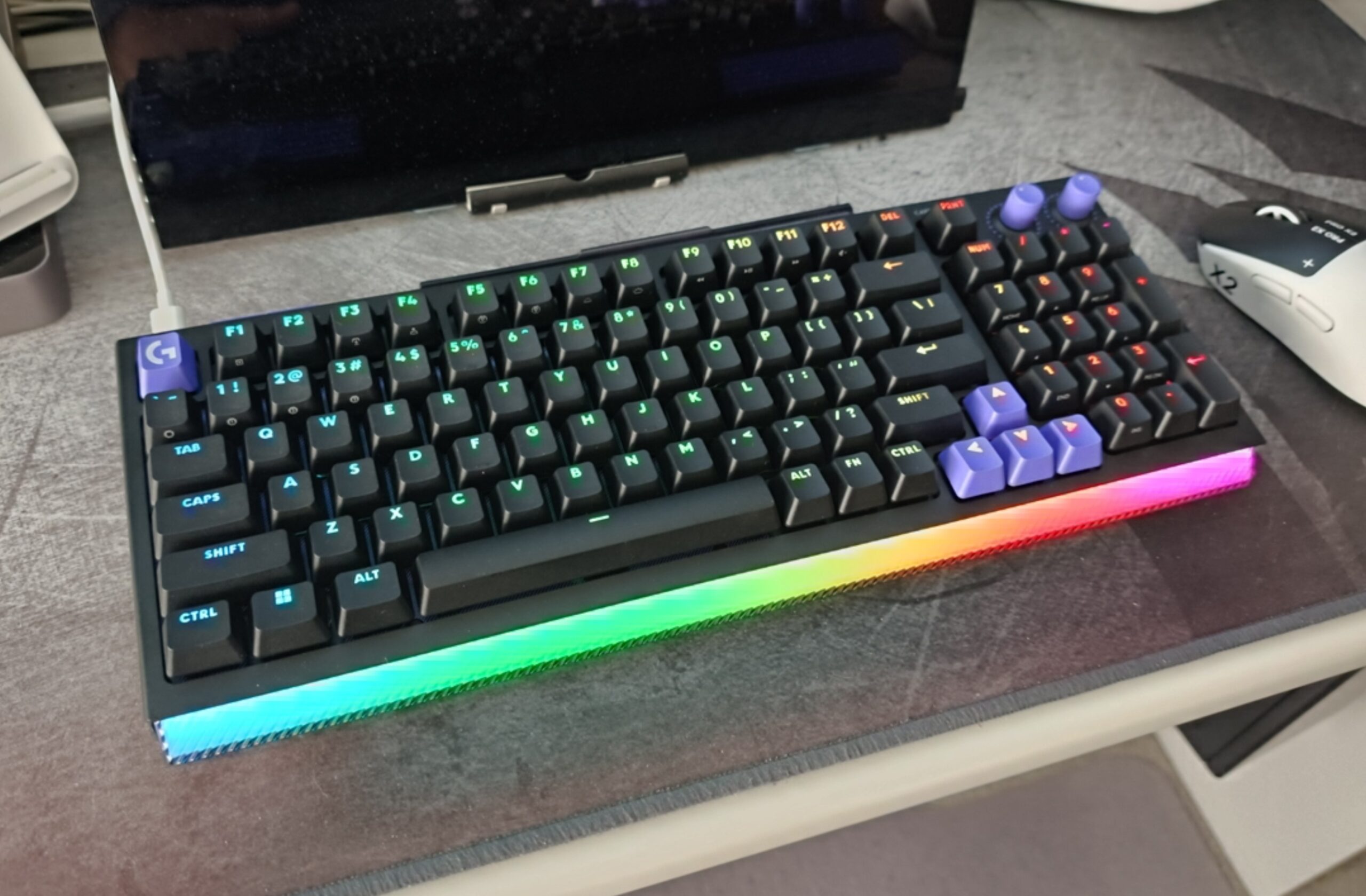
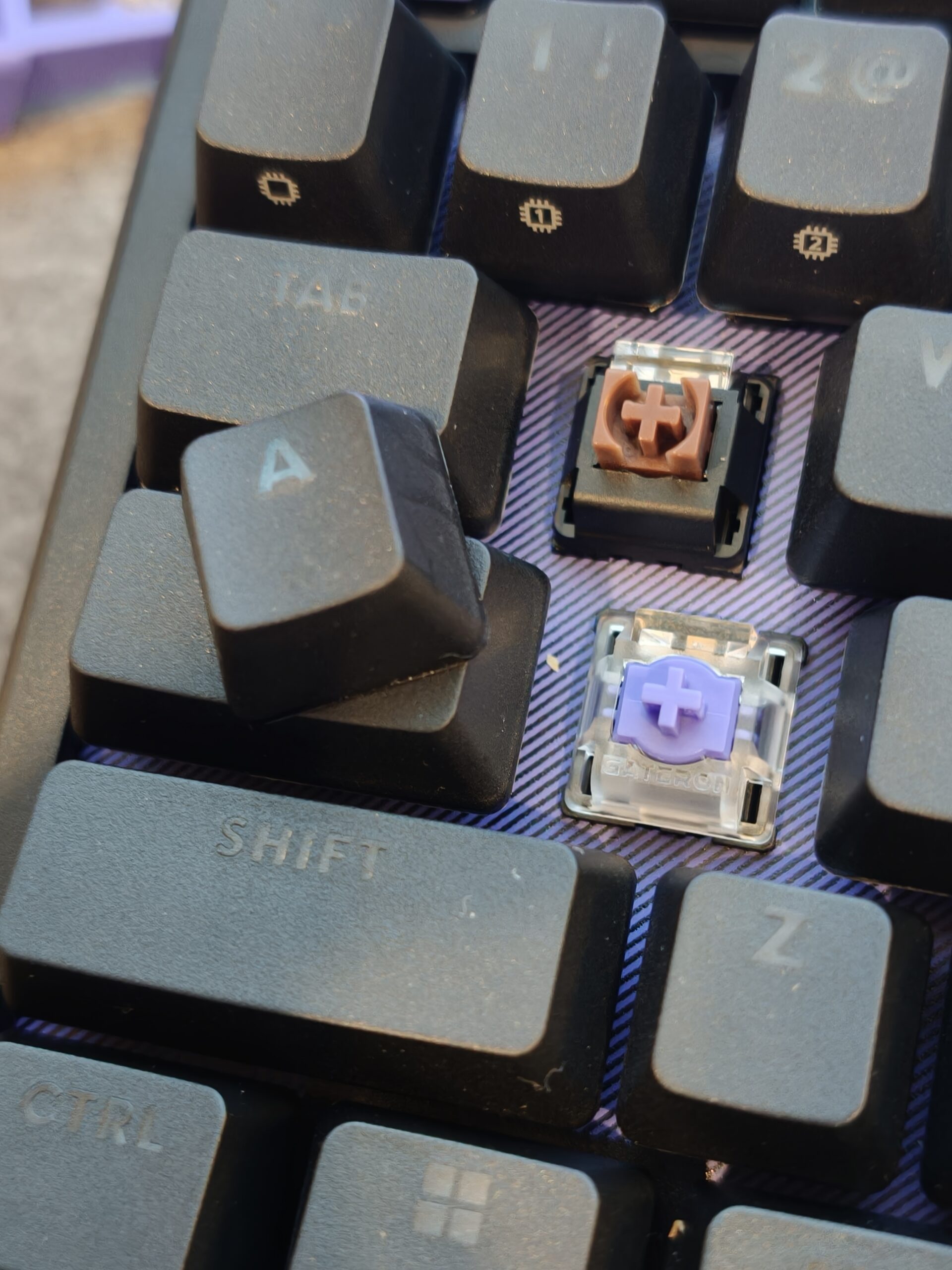
The new Logitech G G512X offers the best of both worlds. Out of the box, the keyboard comes with Logitech GX Brown switches. The advantage with the G512X is that the “G512 X allows players to use both analog and mechanical switches in any of its 39 hybrid TMR switch beds, compatible with most popular analog and 3-pin/5-pin mechanical switches. The keyboard ships with 9 Gateron KS-20 analog switches, providing a competitive edge in gaming.”
The Logitech G G512X thus offers the best of both worlds, with mechanical and analogue switches, which use TMR sensing technology if you wish.
While the box does not include a carry case, it does include everything you need to customise the keyboard.
Logitech has really done a great job in recent years with little touches with the experience out of the box. This time, while the packaging is good, there is no carry case, unlike with its premium Prospeed series keyboards.
The keyboard itself is sturdy but doesn’t seem to have the heft that some of its competitors do but that’s not necessarily a bad thing, as long as the plates stacked on it in the build hold up under fire over long periods. For me though, mashing the keys while gaming had a solid feel to them, both with the analogue and mechanical switches.
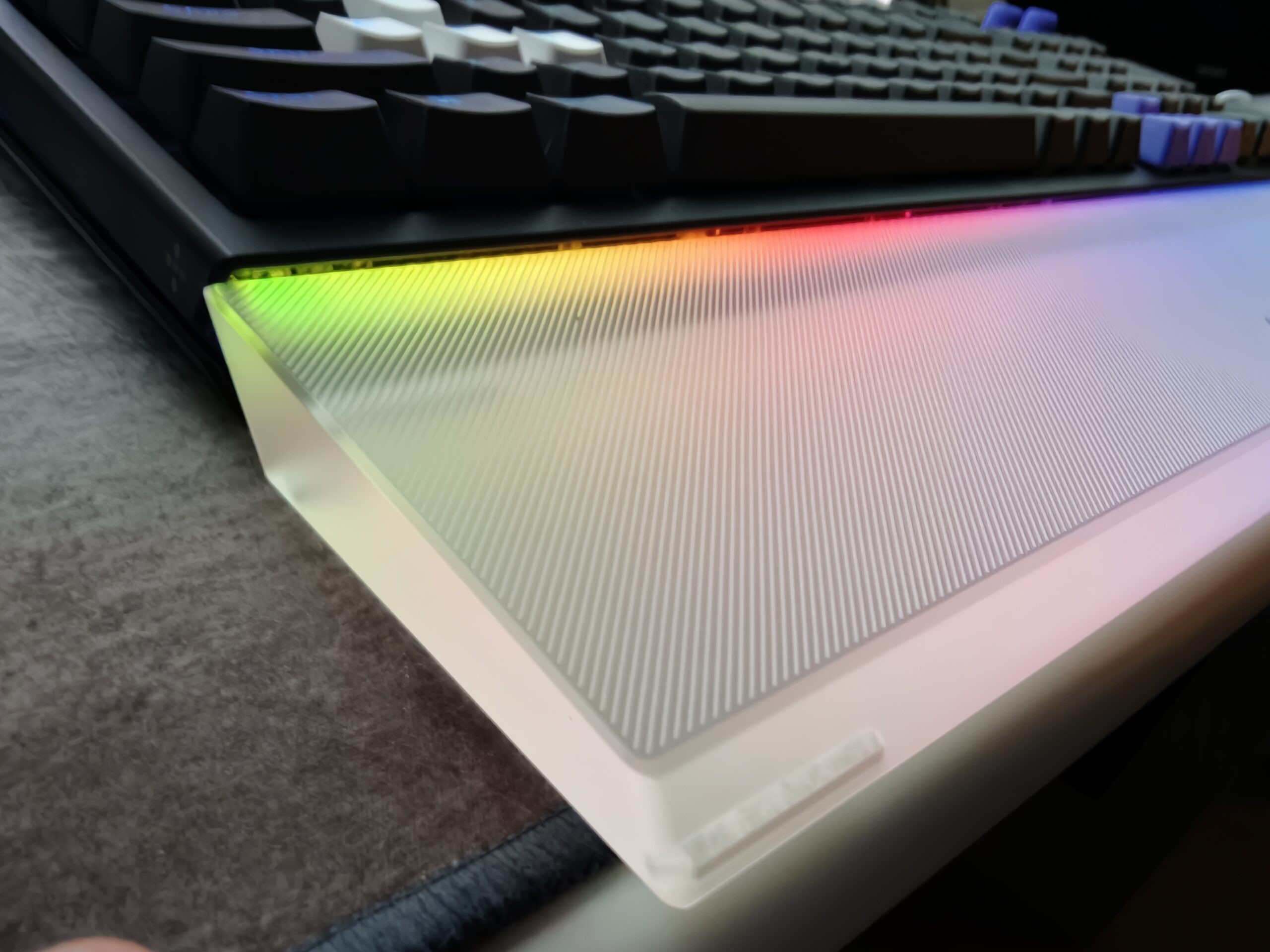
The palm rest is a strange thing. It is a clear ‘premium acrylic’ which looks great with the light bar at the front of the keyboard projecting light through it but I’m not 100% convinced of its function. Although it is nice to have a palm rest, it is strange that it isn’t made of a softer, more comfortable material. Considering nearly all of the gaming keyboards I own do not have a palm rest, it is a good option.
The palm rest is not included though and if you want it, it will cost you more on top of the cost of the keyboard. At this stage, I am not sure of the price, as it is not on the Logitech G website – the US site lists it at US$44.99. If you like to use a palm rest, this is the one to get for this keyboard, given the location of the lightbar and how good it looks but if you prefer a soft palm rest, look elsewhere.
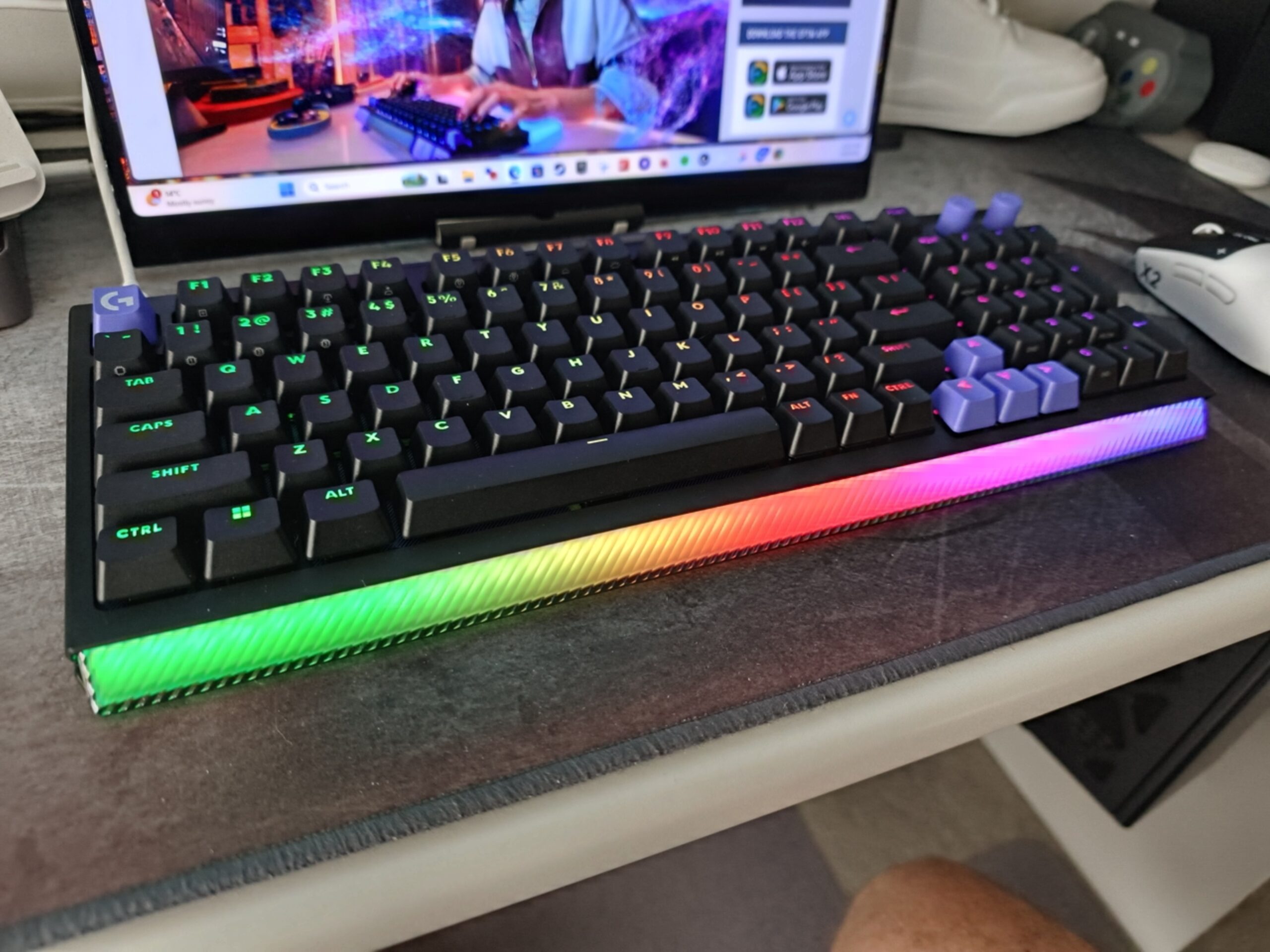
First you can decide which switches you are going to swap over to analogue to take full advantage of the TMR sensing technology – I chose the WASD keys, and for the fun of it, swapped key caps from a different Logitech G mechanical gaming keyboard onto these. I like to have them stand out, and the hot-swappable key beds and switches, along with the keycaps, make it easy to customise the keyboard to your preferences.
After switching out the switches you do need to run a scan of the switches using either the button on the top left of the keyboard, or from within the G-Hub app. Once recognised, you can then customise the switches however you want using the app.
One thing to keep in mind though is that the entire keyboard cannot be swapped to analogue switches. Keys to the right of ‘I, K, and ,’ cannot be swapped out.
Logitech also includes five SAPP O-rings for assigning different functions to keypresses at different depths. You place the SAPP ring directly underneath the keycap, around the switch’s stem. You can then map different depth presses of that key to different functions.
An example of how you might want to use this is to map the first actuation point to a ‘walk’ function in a game, and the further actuation point as a ‘run’ function. Of course there are other options – single shot vs spray, etc?
There are quite a few gaming-specific modes and functions you can implement for the G512X keyboard, as you would expect.
Game Mode
The first one I’ll mention is Game Mode. There is a button next to the scan button at the top left of the keyboard to enable Game Mode. This locks the keys you specify in the G-Hub app so they cannot be activated while Game Mode is on. There are some keys that are off by default but you can easily customise which ones you really do not want to accidentally hit while gaming.
Rapid trigger
Rapid Trigger “is the sensitivity a key needs to be lifted before it is reset. You can select which keys you want this active on, then set the rapid trigger sensitivity for each key. This works really well in conjunction with the SAPP rings.
Actuation point
At my age I need all the help I can get with the speed with which I hit keys/get my brain function to perform a function in the game and being able to make the actuation point higher allows for faster response to my brain waves.
Sounds perfect right? Well, nothing is perfect. It would be nice to switch the entire keyboard to analogue. It would also have been nice to have more than 9 analogue switches – you can always source your own if you need more.
The only way to connect the keyboard to your PC is using a USB-C cable – there is no wireless option which is also disappointing but it is not alone with this limitation.
Of course, the above ‘downsides’ are choices Logitech G has made in designing and manufacturing this keyboard. They think the vast majority of users will not need these, and they are right. Same for the separate cost for the palm rest – not everyone will want that either.
The Logitech G512 X 98 TMR Gaming keyboard can improve all gamers’ reaction times and in-game movement with its TMR sensors and customisation options. While it may not offer an entire keyboard of TMR switches it is a great option for those looking to improve their performance without jumping into the magnetic sensor with both feet.
Logitech has included all the switches and SAPP rings you may need, along with intuitive software to make the most of each hardware option. It is unfortunate that the palm rest is not included in the box, and aesthetics aside, you could do better with other palm rests. Taking aesthetics into account though, the official G512 X palm rest looks great.
The Logitech G512 X 98 TMR Gaming keyboard is available now for 9.95 in a 98% size. It is also available in a 75% size for 9.95. At this stage, the palm rest is not available from the Australian Logitech store.
Scott is our resident open technology expert. If you can mod it, or want to use it your way, Scott has probably done it. From Laptops to phones, headphones and game consoles, he’s played with it and wants to see the next generation.
OPPO today announced that it will take the wraps off the global version of its…
It's October, Apple should be taking a break, but serial newsmaker Mark Gurman sees otherwise…
If you've bene hoping to have a richer communication with your green bubble Android mates…
If Aaron Sorkin writes it then it must be worth seeing - that's the principle…
Sennheiser recently announced its new open-ear earbuds, the Accentum Clip, which are Hi-Res Audio Wireless…
Nothing says summer more than the taste of a juicy, ripe mango and as good…